![logolimanobkg-1.png]](https://help.easyllama.com/hs-fs/hubfs/logolimanobkg-1.png?height=40&name=logolimanobkg-1.png)
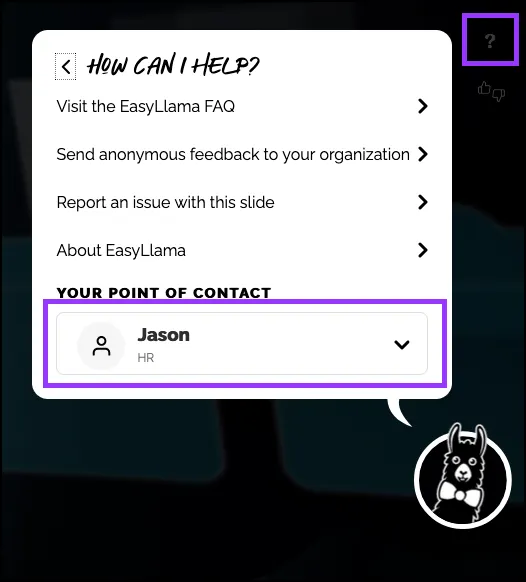
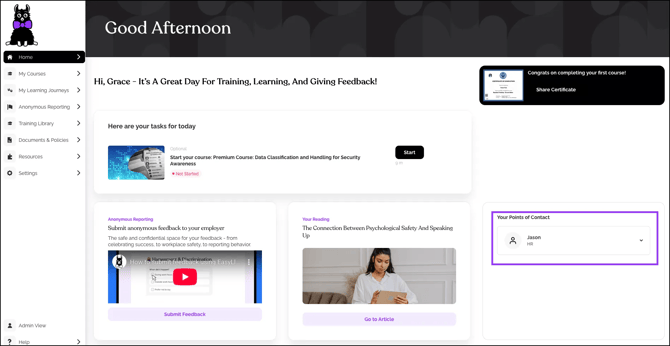
Internal Points of Contact let Learners know exactly who to contact with questions. These contacts appear in the Learner Portal and courses, so it’s important to ensure their contact information is up to date.
If you need to create a new contact rather than update an existing one, click Add an Internal Point of Contact for Learners.
Some situations where you would update rather than create a new contact:
- The contact's name has changed, but the department/email and other details remain the same.
- The contact's department or role has changed.
- The email address or phone number [optional] is different.
- To add/remove where the Internal Point of Contact is shown.
- To remove the contact completely and create a new contact.
What You’ll Need
- Administrator access to the Dashboard
- Name and contact details for the internal support person/team
- Access to Training Settings
Edit Points of Contact
- Log in to the Dashboard.
- From the left navigation menu, click Settings > Training Settings.
- Scroll down to Point of Contact. Find the user who needs to be updated, and to the right of their name, click Edit.
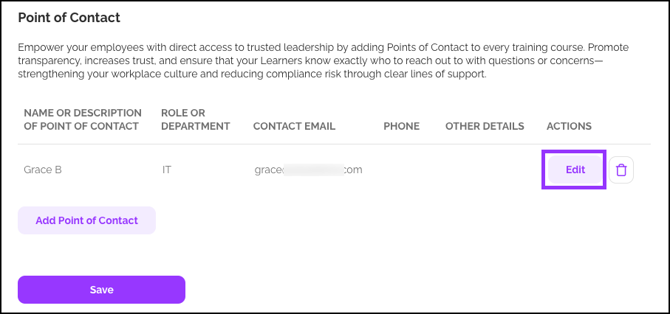
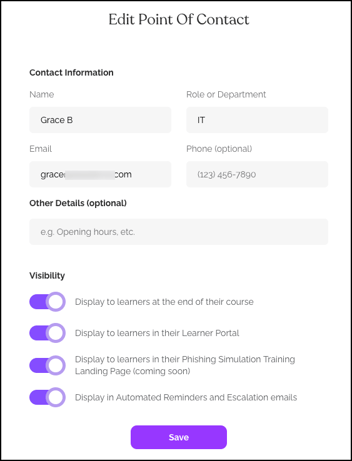
- Make the desired edit to the Contact Information, Other Details, or Visibility.
- When finished making updates, click Save.
Delete Points of Contact
- Log in to the Dashboard.
- From the left navigation menu, click Settings > Training Settings.
- Scroll down to Point of Contact. Find the user who needs to be removed, and to the right of their name, click the Trash Can icon.
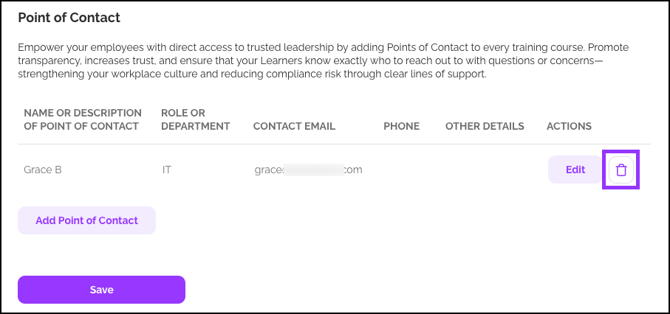
- Verify that you wish to delete the contact by clicking OK.
Helpful Tips
Avoid using personal contact information
Instead, use departmental email addresses or help desk contacts that will not change if a staff member leaves.
Set the correct visibility
Avoid confusion by double-checking whether contacts should appear in all courses or specific ones.
Quick Questions
Can Learners contact EasyLlama support directly?
No. Learners contact only their internal points of contact. If assistance is needed from EasyLlama, administrators should contact support by going to Help > Contact Us in the EasyLlama Dashboard.
Where do contacts appear to Learners?
In the Learner Portal Home tab, at the bottom right.
When clicking the question mark (?) icon within any training course.